
The G2G chat system provides Block and Report features. When you encounter inappropriate content or users who violate G2G rules, we strongly recommend that you block the user and report the incident to G2G. Dedicated personnel from G2G will review the report, promptly intervene, conduct an investigation, and take necessary actions.
Blocking a User
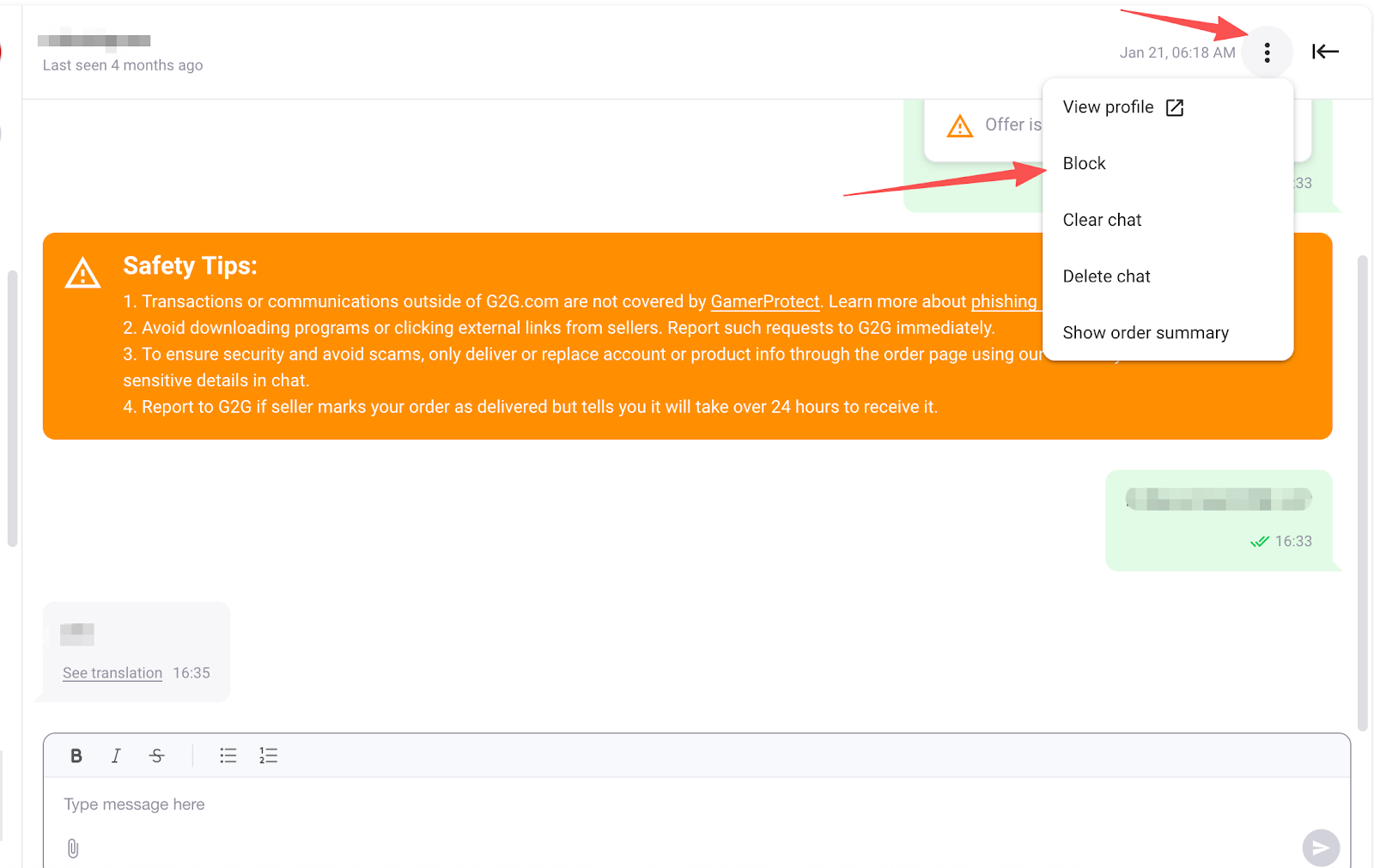
- Click the “More Options” button in the top-right corner of the chat window, then select Block to block the user.
- Once blocked, the user will no longer be able to send you messages or purchase products from your listings.
Reporting a User
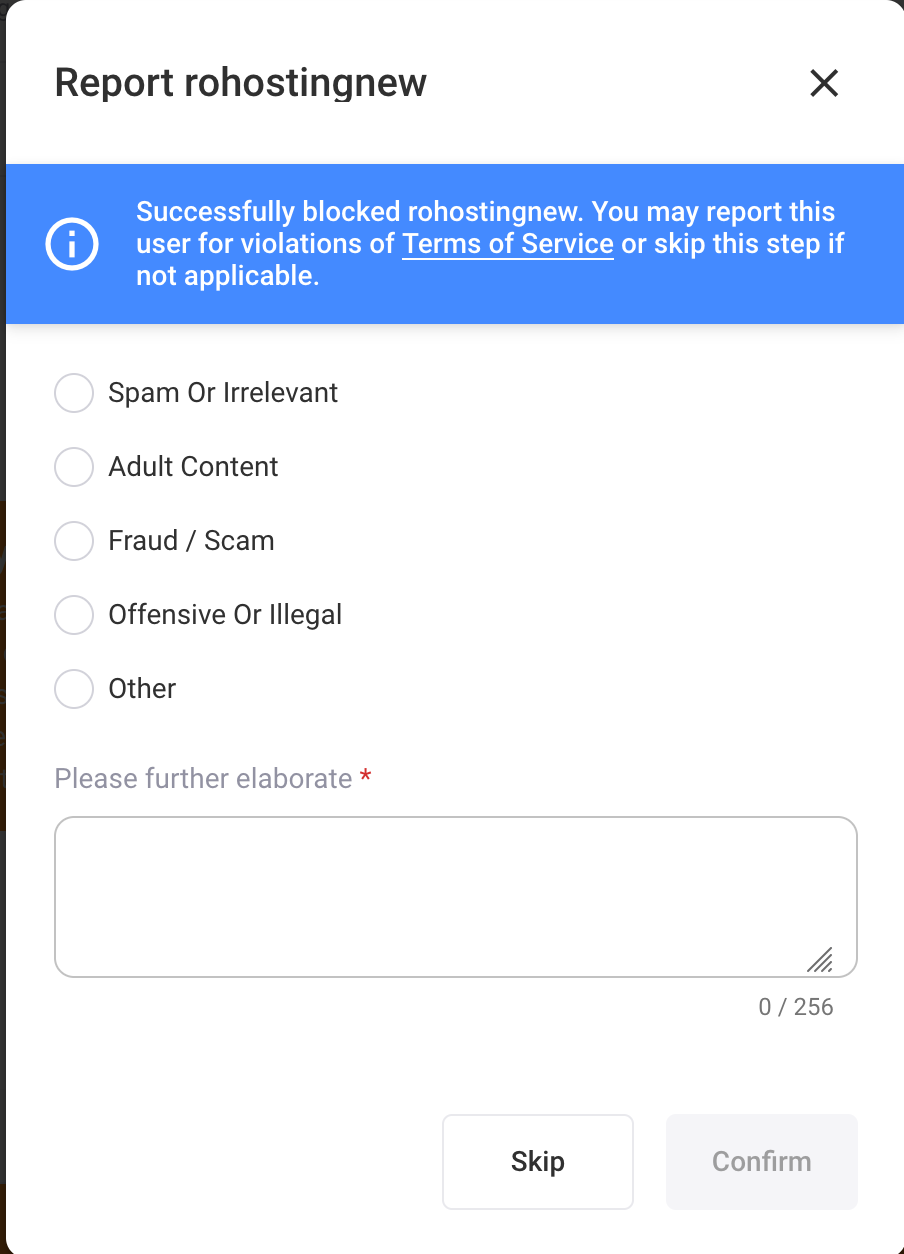
- After clicking the Block button, you may choose to report the user and select the relevant reason. Once submitted, G2G will receive the notification and initiate an investigation.
- you only wish to block the user without submitting a report, you may select “Skip” to bypass the reporting step.
Note: We strongly encourage users to report inappropriate behavior in order to maintain a clean and safe G2G marketplace environment. All reporter information will be kept strictly confidential.